dtop
Share on:
Enter Your Mastodon Instance
Copy the link below to share to Mastodon
https://terminaltrove.com/dtop/
Multi-host Docker monitoring in the terminal.
Script Preview
Review this script before executing in your terminal.
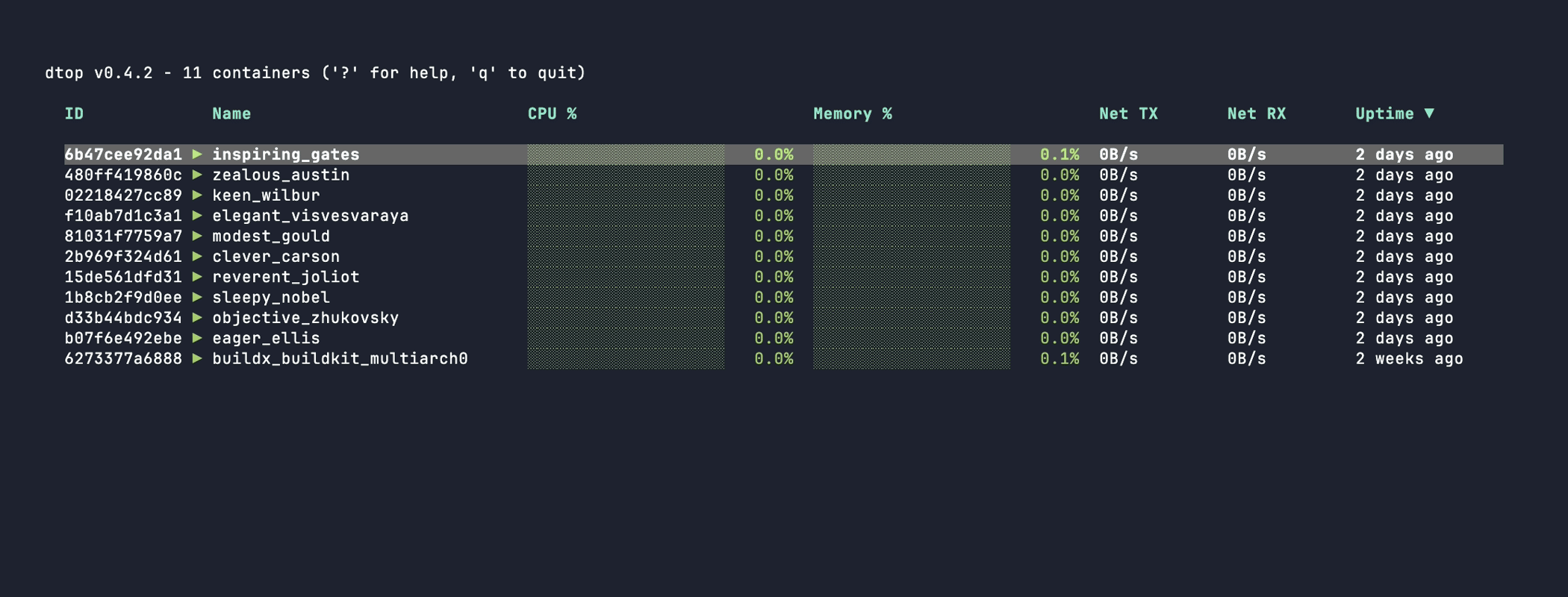


dtop is a terminal dashboard for monitoring multiple Docker containers across local and remote hosts with live container metrics streamed in your terminal.
It monitors the health of containers and tracks the status of each running container such as the CPU, memory, uptime, and connects directly through local sockets. With this, it is able to monitor real-time metrics streamed from the Docker container at a very low latency tick as low as 500 ms.
dtop supports filtering through text search to find containers via a search query and an action menu which can stop, restart and kill a container. It outputs a graph of the moving average utilization of CPU, memory data and network I/O, and its behaviour can be configured using a YAML config file to change the list of hosts to what is displayed in the monitor.
This tool is very useful towards developers, homelab operators, system administrators and SREs who monitor Docker containers from terminals or SSH sessions. It is also an alternative to those are used to using ctop.