lazycut
Share on:
Enter Your Mastodon Instance
Copy the link below to share to Mastodon
https://terminaltrove.com/lazycut/
A simple terminal UI for video trimming.
Script Preview
Review this script before executing in your terminal.
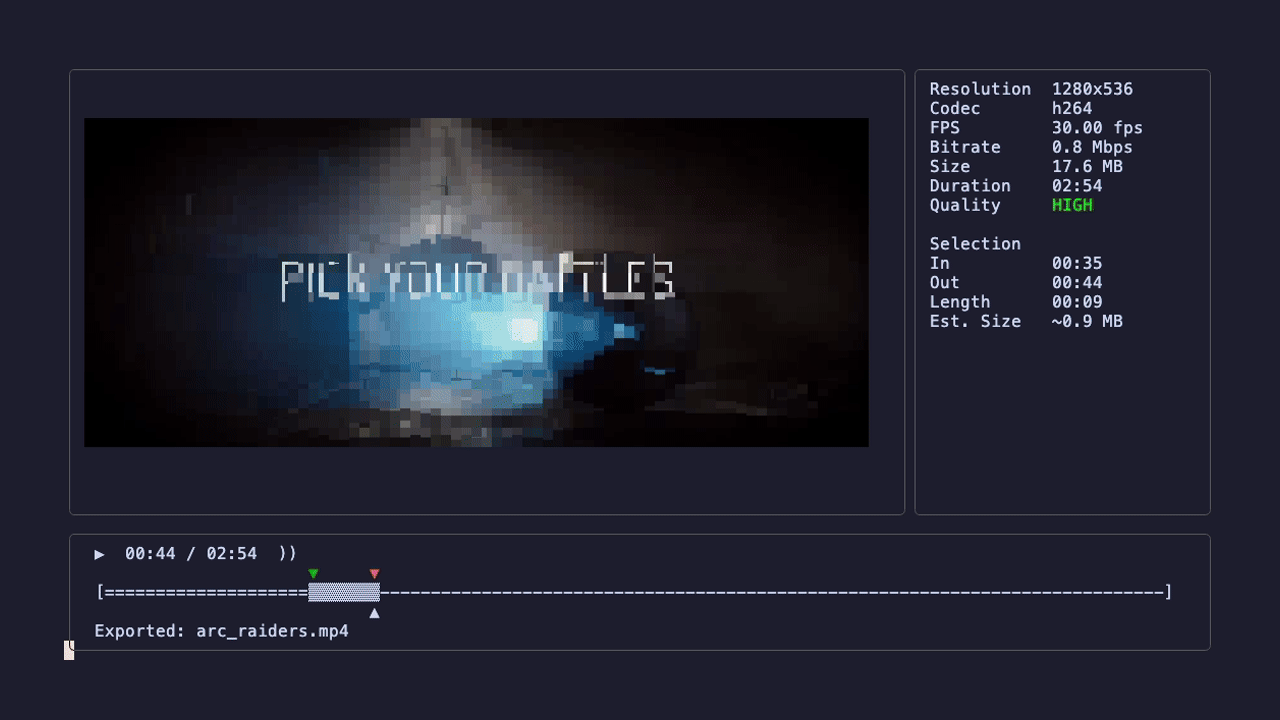


lazycut is a TUI tool for trimming and cutting video clips in the terminal.
Core features include in / out marking, play and pause, second and frame seeking, mute toggling, preview quality changes and undoing trim changes. Keyboard shortcuts are supported by lazycut, while you edit your clip, the TUI shows video, codec, bitrate and FPS information about your video.
You can also preview the trimmed video, and export the section you need. When exporting, you can change the aspect ratio sizes in the TUI before exporting your video. This tool uses ffmpeg under the hood, the equivalent ffmpeg command is shown for your own information or future reference.
This tool is useful if you want to preview your trimmed video for automation with ffmpeg and you don't want to load a full video editing program.
