lazyrsync
Share on:
Enter Your Mastodon Instance
Copy the link below to share to Mastodon
https://terminaltrove.com/lazyrsync/
A friendly TUI for rsync.
Script Preview
Review this script before executing in your terminal.
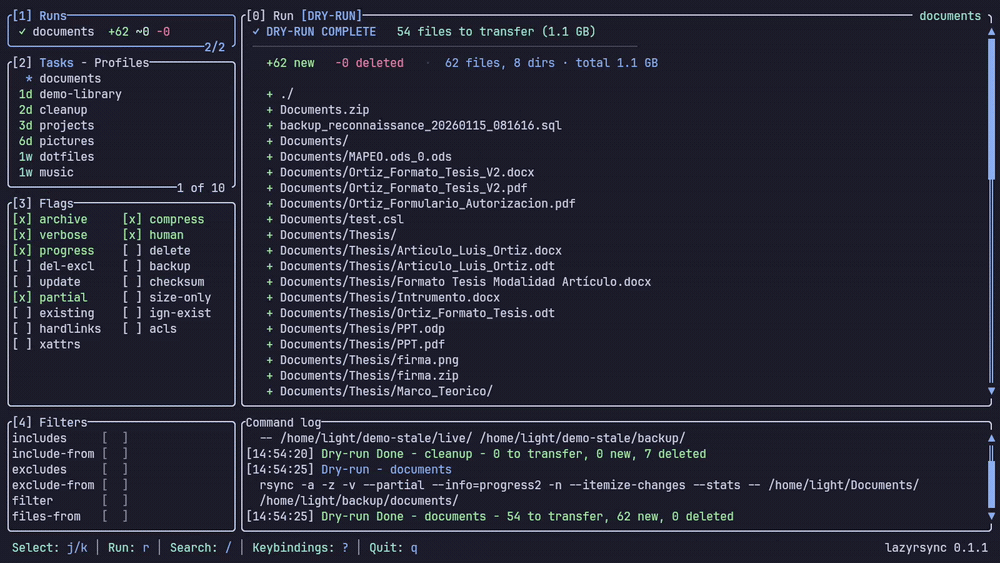

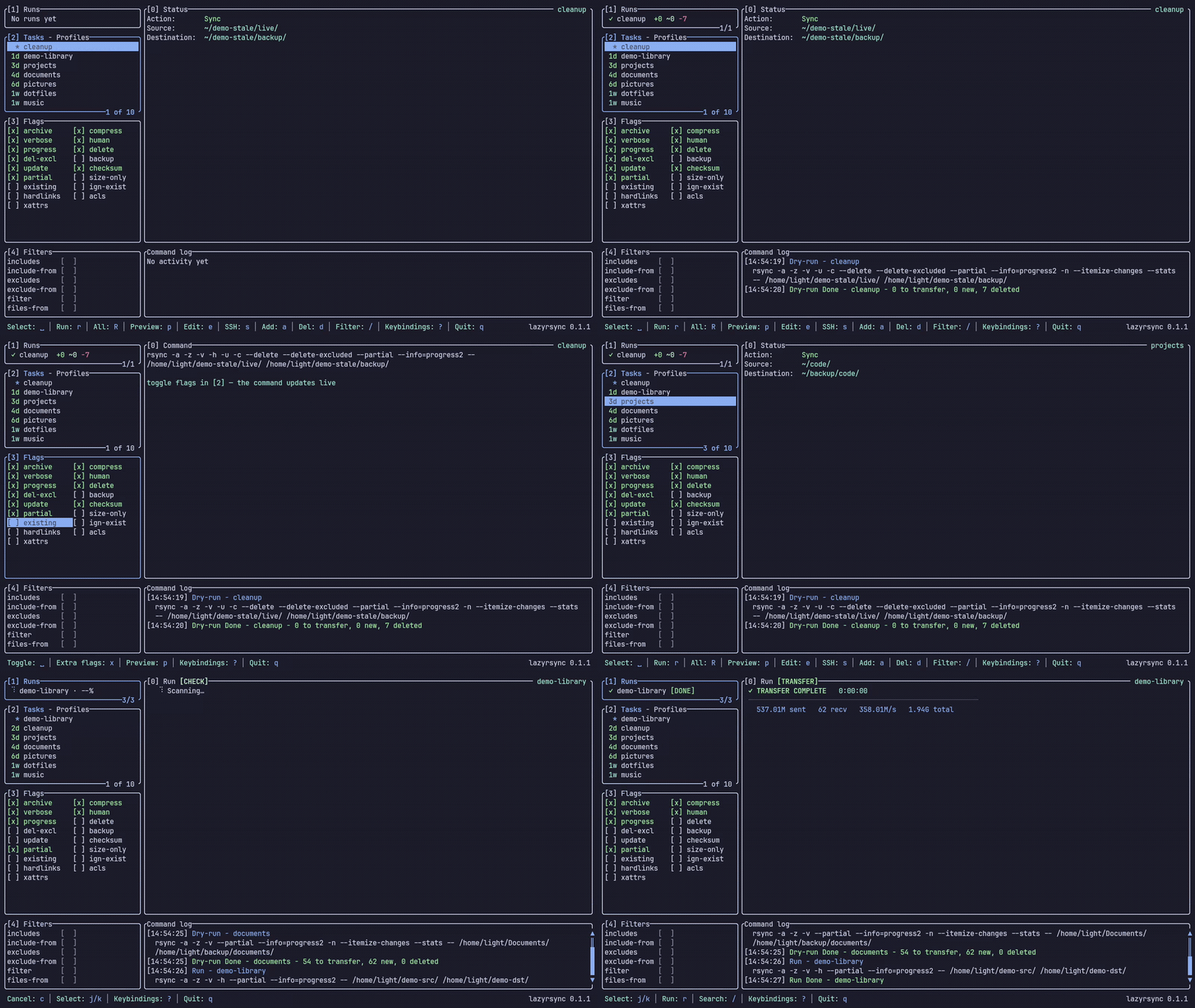
lazyrsync is a TUI for defining, previewing and running rsync transfers through reusable local computers or SSH profiles.
It is able to sync both source and destination directories, supporting tasks or profiles that help you manage syncing individual folders and files. It shows you the status with the exact rsync command used and has a dry run mode which simulates which files have been added, changed or removed before you run the actual rsync operation.
Before sending a backup across machines, lazyrsync has filters and flags section that directly maps to rsync arguments which can be reviewed by the user. It has numbered snapshots which allow you to keep a back up state before and after the rsync operation, and headless commands can print the exact resolved invocation. Transfers can be cancelled and destructive delete flags require explicit confirmation.
This tool is useful for system administrators, developers, and people who have homelabs. If you find yourself transferring single or multiple files to and from your server, need careful dry runs, and a visual UI to see all the data transfers, lazyrsync would help in these scenarios.