emeraldian
Share on:
Enter Your Mastodon Instance
Copy the link below to share to Mastodon
https://terminaltrove.com/emeraldian/
A terminal UI for Obsidian with graphical live-preview notes
Script Preview
Review this script before executing in your terminal.
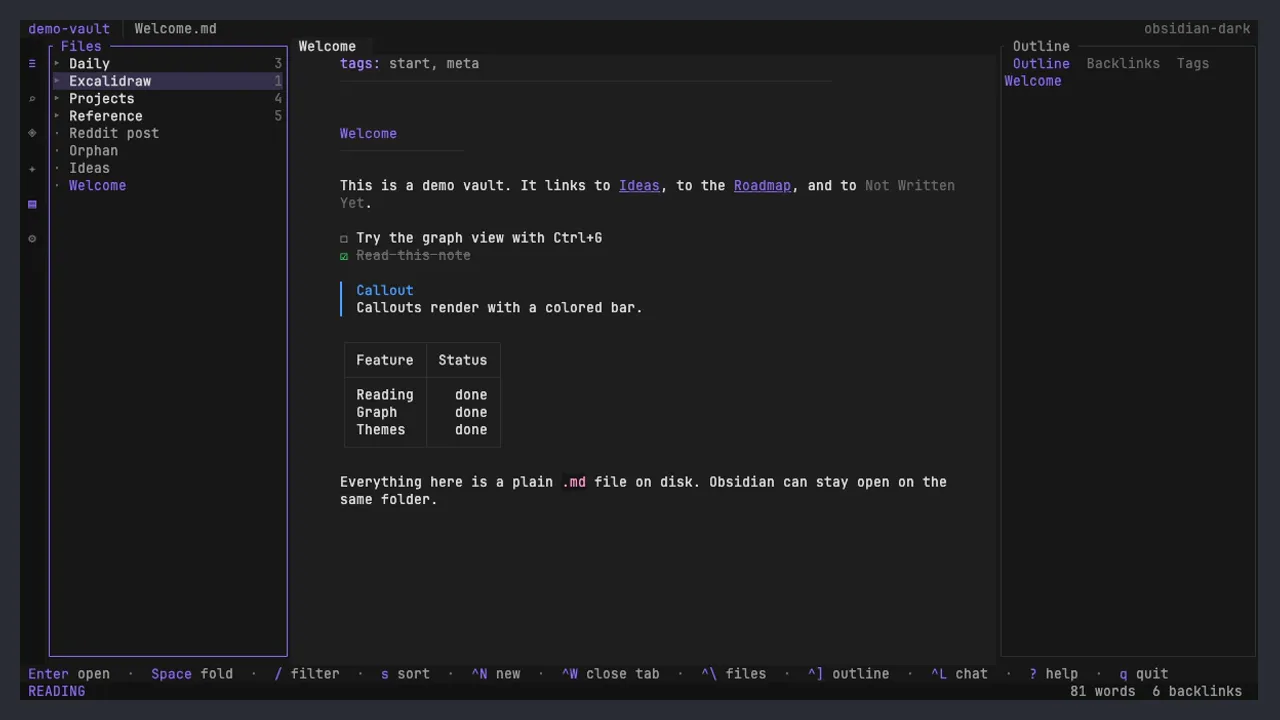
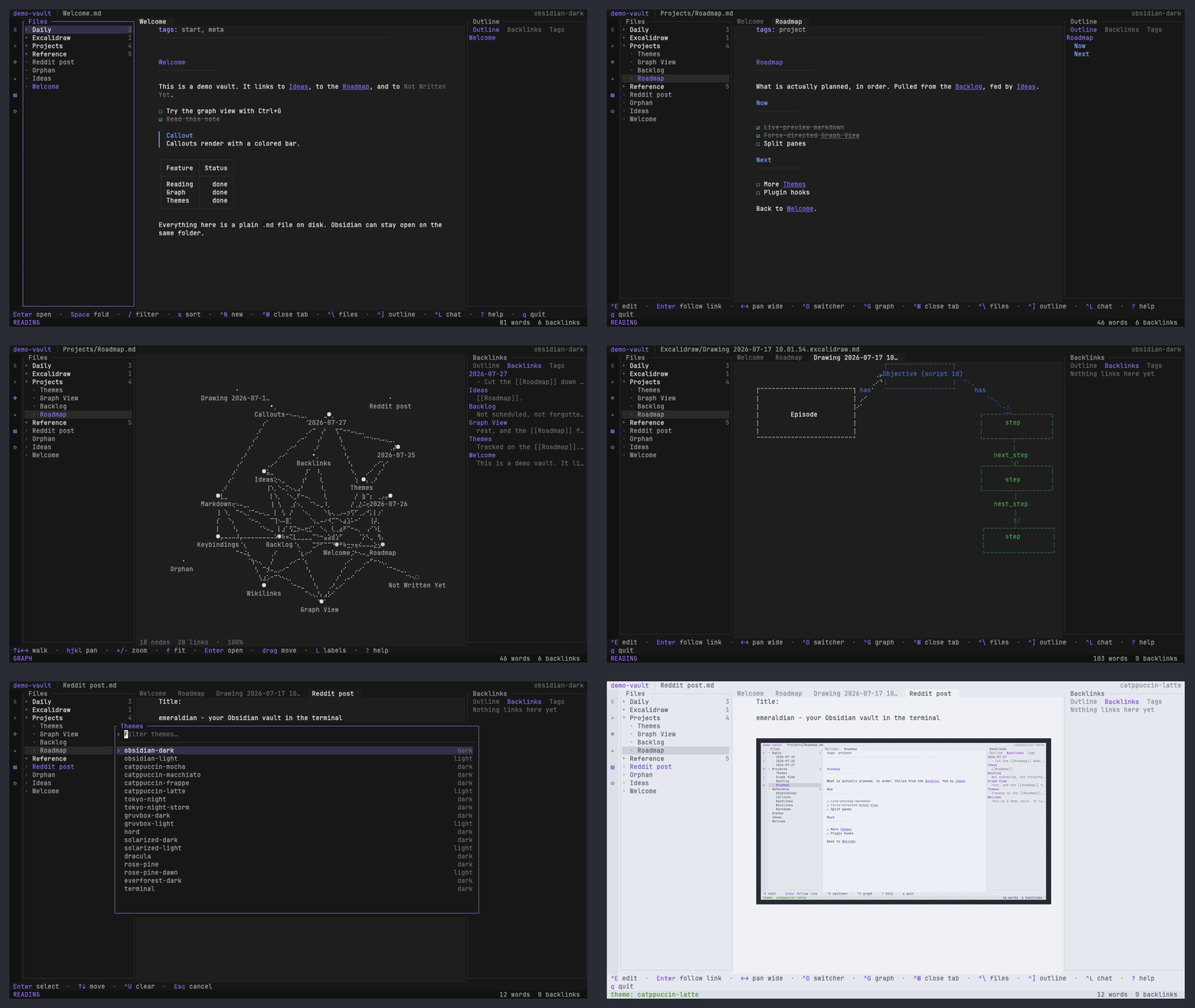
emeraldian is a terminal workspace for reading and editing Obsidian vaults directly as Markdown files.
It comes with a 3-pane view showing the files on the left hand side and the back-link, tags and outline information on the right hand side. Anytime you select a project in your Obsidian vault you can preview it in your markdown notes in the editor live and it can render images (with kitty graphics) and graphs such as excalidraw drawings in the editor.
Using emeraldian does not require any migrations, since you can point it to an Obsidian folder and it recognizes your notes in place. This tool also has Vim keybindings for those familiar with vim style navigation and mouse navigation (with mouse reporting).
Obsidian users such as technical writers or editors, programmers and students who need a terminal based editor that works with Obsidian will find emeraldian ideal for working with their existing vaults on laptops or machines without a graphical desktops.