jid
Share on:
Enter Your Mastodon Instance
Copy the link below to share to Mastodon
https://terminaltrove.com/jid/
A JSON incremental digger with auto completions and expressions.
Script Preview
Review this script before executing in your terminal.
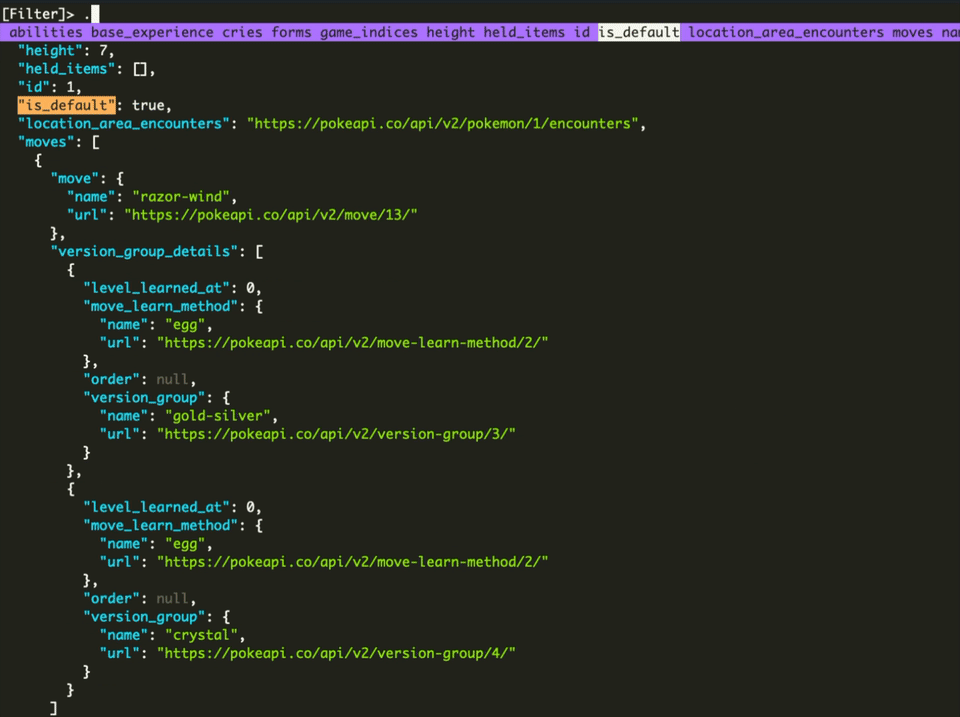

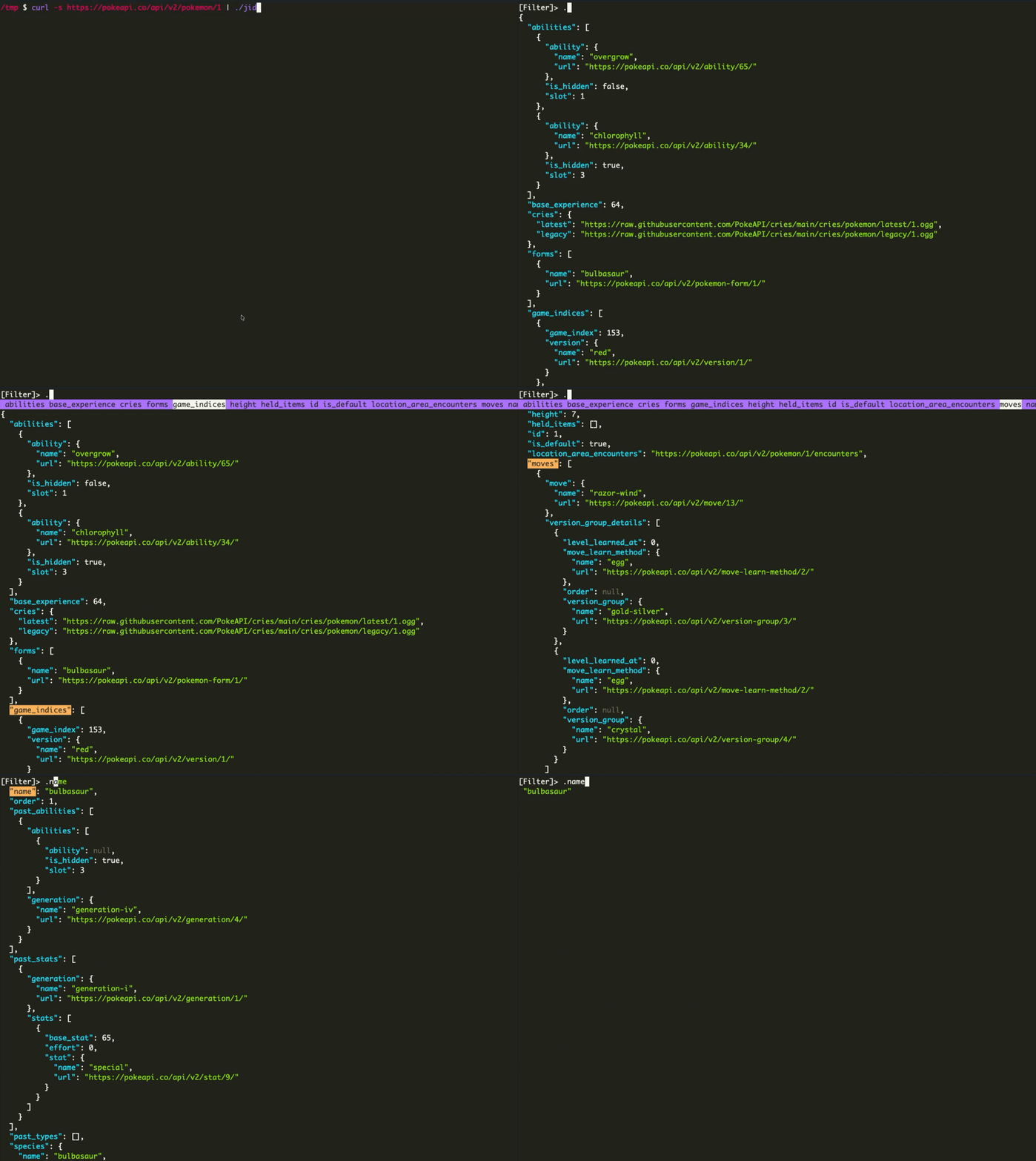
jid is a jq-like terminal tool for exploring JSON files and objects interactively with syntax highlighting and filtering queries.
It can filter across fields defined in the JSON schema, featuring quick field auto-completions that parses all keys and names and suggests candidates for the user to copy or reveal the JSON path. This tool also supports JMESPath expressions which allows for wildcards "( [*] )", filtering "( [? )" and piping "( | )" expressions which can be used for advanced filtering functionality before the final result of the expression is executed.
A list of available JMESPath function candidates that jid supports are 'contains', 'join', 'reverse', 'map', 'length', 'sort' and lots more on JSON data structures. It supports further composability when used with native Unix pipes on command output and JSON files as input. Previous queries made in jid are saved in its history.
Developers used to jq who want an alternative with visual auto-completions for debugging or advanced expressions support would find jid useful. It works best for data pre-processing use-cases and extraction in JSON datasets without resorting to bash for extra filtering techniques.